QuickTime 7 Pro for Mac OS X
Easily create movies for iPod or your mobile phone, capture movies in a single click, save movies from the web, share movies via email or .Mac, create stunning H.264 video, play movies in full screen, and much more.
Purchase now to receive your QuickTime 7 Pro registration code instantly. Your registration code will be displayed on the Thank you for your order page immediately after check out and in your purchase order confirmation email.
Please note: Your QuickTime 7 Pro registration code only works with QuickTime 7. Be sure you have downloaded and installed QuickTime 7 Player before you enter your QuickTime 7 Pro registration code.


Overview

Unlock the Power of QuickTime 7 Pro
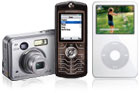 |
Convert media formatsConvert your QuickTime movies to a variety of formats for viewing on your iPod or mobile phone or sharing with friends and family via email or the web.(1) Export to over a dozen different video and audio formats. |
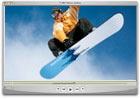 |
Edit with easeUse the cut, copy, and paste capabilities of QuickTime Pro to edit your movies or even add a new sound track. You can even add annotations, rotate your video, and more. |
 |
Create stunning videoWith your iSight or other FireWire camera connected to your Mac, you can create beautiful video with a single click and share it via email. |
 |
Build your QuickTime video libraryBuild a library of movies by saving them from the web to your computer for enjoyment any time.(2) View movies shot with your camera phone, digital camera, or camcorder. QuickTime 7 Pro supports major video formats including H.264, MPEG-4, and Motion JPEG; see a complete list. |
 |
Record your podcastPlug in a USB microphone and use QuickTime 7 Pro to capture audio that can be shared with the world as a podcast. The one-button recording interface couldn't be simpler or easier to use. |
1. QuickTime Pro does not support ripping of DVDs.
2. Some content creators do not allow their movies on the web to be saved.
How to upgrade to QuickTime Pro
- Make sure QuickTime 7 Player is installed on your computer.
- Purchase a QuickTime Pro registration code, which will be sent via email.
- Open the email from Apple and locate the 20-digit registration code.
- In the QuickTime Player application, go to Preferences and enter the registration code.
- Enjoy QuickTime Pro!
Please note: There will be no package shipped to you and no more software to download — you can begin using QuickTime Pro right away. Learn more
Minimum System Requirements
- 400 MHz Power PC G3 or faster Macintosh computer
- At least 256MB of RAM
- Mac OS X v10.4.10 or later
- QuickTime 7
Please note: A more powerful computer will deliver improved performance.

Most Recent Reviews
-
QuickTime 7 Pro for Mac OS X

Disappointed
Written by AP from Albany
Apr 19, 2009
I use QuickTime because it plays movies full screen on the TV from my Mac Mini without stuttering, unlike iTunes which occasionall…Read morey stutters and causes my 20 month old to scream in that oh so ear piercing pitch that only little children can produce, and that causes my 6 month old to start crying. I cannot believe that a program like QuickTime Pro doesn't have the simple capability to create a playlist. I backed up all my son's DVD's to our Time Capsule so I could play his movies without having to constantly switch the DVD's, but this isn't much of an improvement. I could have stayed with the free version if I knew Pro couldn't create a playlist either.
(63 of 72 people found this review useful)
Was this useful?
-
QuickTime 7 Pro for Mac OS X

A must-have for Mac users.
Written by MR from Peoria
Mar 27, 2009
Quicktime Pro works perfectly for me. I do a lot of video editing and this is great for converting video files. It works well for …Read moreviewing even WMV video files. It's the main multimedia tool for the Mac and well worth the price.
(383 of 404 people found this review useful)
Was this useful?
-
QuickTime 7 Pro for Mac OS X
Its all pro and no cons
Written by AG from Sutton Coldfield
Mar 6, 2009
After Reading all of the reviews I was a little worried about spending £20 on software. Especially as I previously had free softwa…Read morere on the PC.
QuickTime had been highly recommended by a few friends, so I spent the £20 and went for it. I'm so glad I did !! The output quality was perfect from a avi to iPhone and a 20 min video converts in about 8 mins. Then after clicking on the file, imported it directly Into iTunes. I couldn't have asked for a easier app. Well done apple.
Ps. Although other reviews are saying it doesn't play certain files, do they know about the free addons ? Divx etc(31 of 34 people found this review useful)
Was this useful?
Most Useful Reviews
-
QuickTime 7 Pro for Mac OS X
QuickTime 7 Pro - Thatz Whatz UP!
Written by CE from EULESS
Sep 26, 2006
I Love It! For exporting, editing, converting, etc. When it comes to audio / video (for $30 bucks!) you can't beat QuickTime Pro.…Read more I use it mainly for exporting audio into different formats. Simply put, it's a great tool to have in the shed.
(7645 of 9308 people found this review useful)
Was this useful?
-
QuickTime 7 Pro for Mac OS X
Magnificent (On a Mac)
Written by RY from SAINT PETERSBURG
Feb 25, 2007
On my new Mac, QT Pro works flawlessly. On my (old) WinTel PC, there was slooow encoding isues, but the Mac version is absolutely …Read moreperfect.
(5195 of 7089 people found this review useful)
Was this useful?
-
QuickTime 7 Pro for Mac OS X
Spectacular
Written by JB from West Windsor
Sep 23, 2005
I have tried many media players throughout my computing career, but QuickTime has always been far and away the most reliable. It …Read moremay sound cliché, but QuickTime brings out all the best qualities of Apple; dependability, efficiency, & a gorgeous interface. My college campus (Washington University in St. Louis) is very Mac-based, so naturally everything integrates seamlessly with everything else. As a Biomedical Engineer (BME), I require fast computing and rendering in both my computer and it's applications. Whenever I have some down time, that is when QuickTime helps us college students out; Watching movies in full screen, making our own hilarious home videos with iSight, or throwing together slideshows with pictures from the weekend. I highly recommend this program to anyone, from professionals to novices, engineers to English majors. Coming from a poor college student, QuickTime Pro 7 is a $30.00 well spent.
(5635 of 7975 people found this review useful)
Was this useful?


