
QuickTime 7 Pro for Windows
Now, you can easily create movies for iPod, capture movies in a single click, share movies via email or .Mac, create stunning H.264 video and much more. Purchase now to receive your QuickTime 7 Pro registration code instantly via email.
Please note: QuickTime 7 Pro for Windows works only with the free QuickTime 7 Player for Windows. Be sure you have installed QuickTime 7 for Windows before you enter your QuickTime 7 Pro registration code.


Overview

Unlock the Power of QuickTime 7 Pro
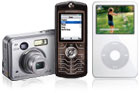 |
Convert media formatsConvert your QuickTime movies to a variety of formats for viewing on your iPod or mobile phone or sharing with friends and family via email or the web.(1) Export to over a dozen different video and audio formats. |
 |
Edit with easeUse the cut, copy, and paste capabilities of QuickTime Pro to edit your movies or even add a new sound track. You can even add annotations, rotate your video, and more. |
 |
Build your QuickTime video libraryBuild a library of movies by saving them from the web to your computer for enjoyment any time.(2) View movies shot with your camera phone, digital camera, or camcorder. QuickTime 7 Pro supports major video formats including H.264, MPEG-4, and Motion JPEG; see a complete list. |
 |
Record your podcastPlug in a USB microphone and use QuickTime 7 Pro to capture audio that can be shared with the world as a podcast. The one-button recording interface couldn't be simpler or easier to use. |
1. QuickTime Pro does not support ripping of DVDs.
2. Some content creators do not allow their movies on the web to be saved.
How to upgrade to QuickTime Pro
- Make sure QuickTime 7 Player is installed on your computer.
- Purchase a QuickTime Pro registration code, which will be sent via email.
- Open the email from Apple and locate the 20-digit registration code.
- In the QuickTime Player application, go to Preferences and enter the registration code.
- Enjoy QuickTime Pro!
Please note: There will be no package shipped to you and no more software to download — you can begin using QuickTime Pro right away. Learn more
Minimum System Requirements
- 233 MHz Intel Pentium class or better processor
- At least 128MB of RAM
- Windows XP Service Pack 2 or Vista
- QuickTime 7
Please note: A more powerful computer will deliver improved performance.

Most Recent Reviews
-
QuickTime 7 Pro for Windows

Blame the user, not the software
Written by TC from amsterdam
11-Feb-2009
QuickTime Pro is the Best value video tool Editing Software ever, it is simple, it looks cool ( not like those MS apps) and it is …Read morewell worth the money. I use it professionally for all my compressions to Youtube and the web: H264 playing inside a Flash player, IT LOOKS AMAZING. I can add soundtracks, change aspect ratio, get precise movie properties, etc
Ok so it could come with Mpeg2 codecs, and Video record straight from DV to H264 like in the Mac Version. But I suppose this has to do with MPEG License Agency and hardware vendors. Worth every penny, but I know how to use it.(3 of 3 people found this review useful)
Was this useful?
-
QuickTime 7 Pro for Windows

Did what I needed!
Written by PC from Birmingham
08-Feb-2009
Very happy that Pro gave me a quick and easy solution to converting 3GP video files from a Sony Ericsson phone to mpeg4 files for …Read moreuse in Movie maker
(1 of 1 people found this review useful)
Was this useful?
-
QuickTime 7 Pro for Windows

Ok but there is better
Written by GF from CAMBERLEY
14-Oct-2008
Not bad for £20.00 if all you want it for is to transfer videos to your ipod and it doesn't play MPEG files so your limited on wha…Read moret you can play. So for the ipod nut a good buy but for all you film buffs try elceware.
(128 of 138 people found this review useful)
Was this useful?
Most Useful Reviews
-
QuickTime 7 Pro for Windows

UTTER WASTE OF MONEY
Written by BE from London
17-Dec-2007
How stupid I feel. How cheated I feel. Despite reading all the warnings here about Quicktime Player Pro. I went ahead and bought…Read more it today because I was desperate to do a little editing on a 3 minute Quicktime Movie. I expected a product close to the editing functionality of the FREE Windows Movie Maker. Quicktime Pro in comparison is utterly, utterly useless. Absolutely NO STARS at all but the rating will not let me do that. I want my money back!!!
(876 of 1017 people found this review useful)
Was this useful?
-
QuickTime 7 Pro for Windows
Quicktime export is slo-o-o-w
Written by KM from Vancouver
03-Apr-2006
Greetings, I purchased QT7 to export & downsize a file, and lighten the video. My QT6 key only works with qt6.
I was expecting so…Read moreme optimization of Quicktime's filters and expotr, but it is very very slooooow. I do not recommend it for this type of work. I'm exporting from Digital Fusion, which is less convenient, but 10x faster.
I would like to see Apple improve this software. Quicktime and the image viewer both initialize slowly as well.(764 of 910 people found this review useful)
Was this useful?
-
QuickTime 7 Pro for Windows
The Fix is In!
Written by SB from Sacramento
06-Jul-2006
It blows me away that I can spend hundreds of dollars for the video ipod and it doesn't even come with software that allows it to …Read moreplay something in a format created by its makers(Quicktime)!!! What a ripoff. Apple has really disappointed on this one. I actaully bought this junk QT Pro 7 version because it was touted to convert QK files to iopd format WITH SOUND...no such luck. EVen after reading many posts and buying another converter (AVS video converter) I still only get the video to play. No way to unmux the file...any more suggestions?
(758 of 924 people found this review useful)
Was this useful?


